Automation, Skills and Agents: How Executive Search Firms Scale Their Organization's Know-How
Why separating knowledge from autonomous action is the key to consistent AI quality in executive search: workflow builder, skills and agents compared.
 David BaumannFounder, Nexus Search
In short
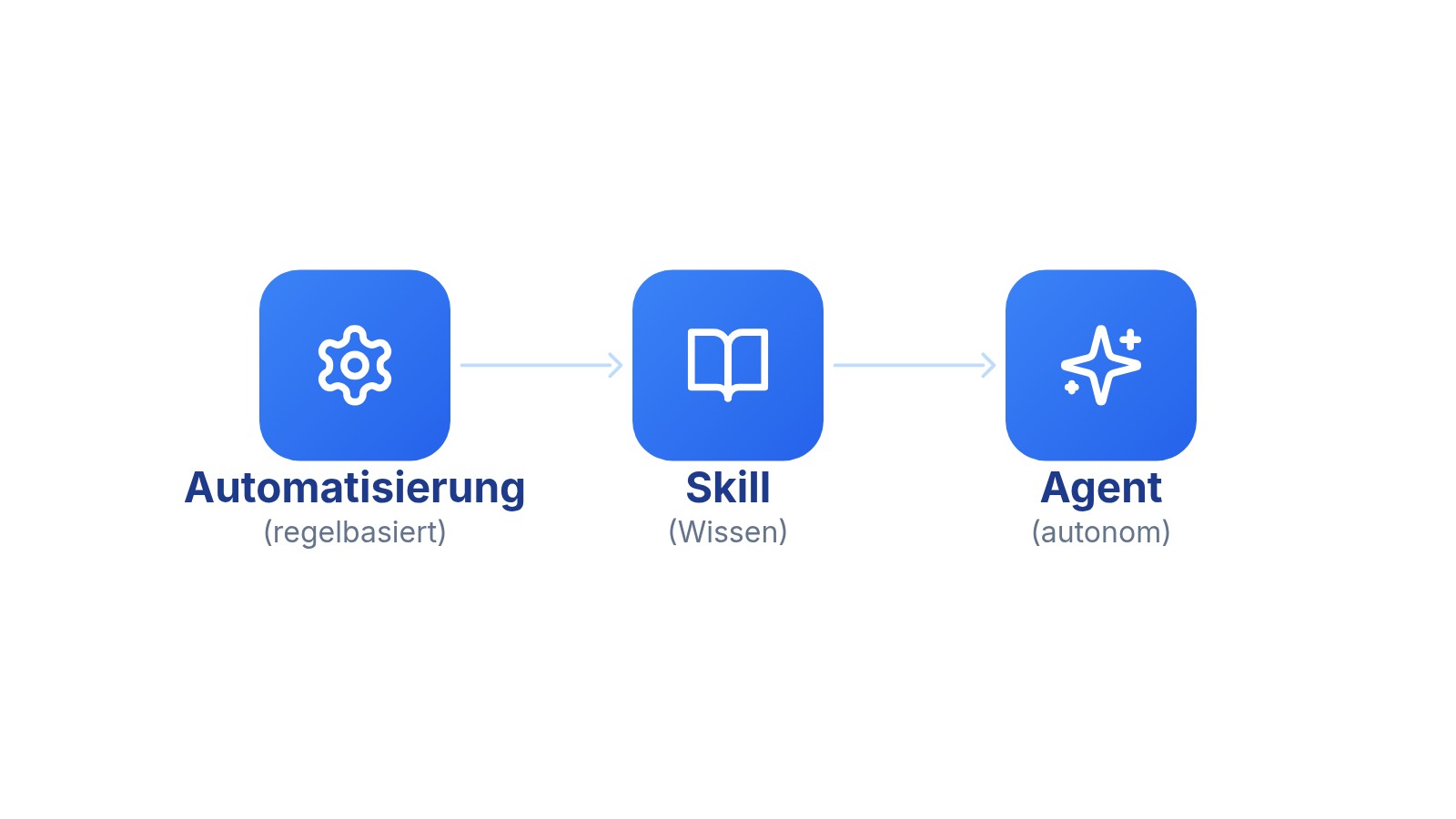
Nexus separates three concepts: classic automation in the workflow builder handles unambiguous if-then rules. A skill is your organization's digital playbook that consultants invoke in dialogue. An agent is an autonomous actor that works in the background on a schedule or triggered by events — with clearly defined permissions and approval levels. The rule of thumb: as much rule as possible, as much AI as necessary.
In hardly any industry do process quality and response speed determine project success — and ultimately the fee — as directly as in executive search:
- Whoever qualifies the right candidate profile from their internal talent pool first wins the mandate.
- Whoever delivers a flawless, standardized candidate dossier convinces the client.
- Whoever forgets follow-ups and rejections damages their own brand with clients and candidates alike.
Yet many boutiques fail at the same point when adopting generative AI: consultants type "their" prompts into their own chat window. Sometimes they share those prompts with colleagues, sometimes they don't. The results are inconsistent, not reproducible, and depend on the individual's prompting skills.
That is why Nexus separates two concepts: skills and agents. A third building block joins them: classic automation in the workflow builder, which is perfectly sufficient for many tasks and needs neither skill nor agent. A customer recently asked us exactly this in a feedback session: "What's the difference?" Here is the answer.
The skill: your organization's playbook
A skill is the "how" of a process.
Think of a digital process document, also known as a Standard Operating Procedure (SOP): reusable work instructions that record how your firm solves a particular task. A skill contains:
- The work guideline: Which criteria are applied? For example: "Assess leadership experience based on P&L responsibility and team size."
- Reference files: Templates, scoring matrices, interview question catalogs or schemas that the assistant only opens when it needs them.
- Permitted tools: Optionally, you define which tools may be used during the skill. The selection can only restrict existing permissions, never extend them (least privilege).
Typical skills in executive search might be:
/candidate-assessmentturns a CV and interview notes into a standardized management summary./executive-outreachgenerates a personalized first approach for LinkedIn or email, matched to the mandate and the candidate's history./market-mappingstructures target companies in the CRM by segment, size and relevant functions.
When do you use a skill? Whenever consultants are actively working in the system and want to draw on your team's established approach and knowledge. In the Nexus Assistant, the consultant types / and selects the skill. The result immediately meets your standard, without anyone having to write lengthy instructions. The Nexus MCP server also recognizes from the description when a skill fits and loads it when needed. A standardized skill is therefore available to your team exactly when it needs it.
The agent: your digital (autonomous) actor in the background
An agent is the "who & when" of a process.
While a skill encompasses knowledge and process, an agent is an active digital actor. It does not wait to be addressed in a chat; it works in the background, even when nobody is logged in. An agent consists of three building blocks:
- Role and responsibility: A role description defines what the agent does — for example as a "pipeline watcher" or "mandate reporter".
- Trigger: An agent starts on a schedule (e.g. every working day at 7:30 a.m. or every Friday at 3:00 p.m.) or is event-driven, for example as soon as a candidate is created, an email is sent or a task is added.
- Permissions and degree of autonomy: Newly created agents start without any permissions. Write access only comes from explicitly assigning tools or skills. You choose one of three levels:
- Notification only: The agent reads and reports, but changes nothing.
- Approval required: The agent prepares changes; a consultant reviews and approves them (human-in-the-loop).
- Full autonomy: The agent modifies records directly, intended for clearly defined routine tasks.
Typical agents in everyday recruiting
- The mandate reporter (every Friday, 3:00 p.m.): Summarizes interview progress and open feedback loops of the week for each mandate lead.
- The pipeline watcher (every morning, 7:30 a.m.): Checks which candidates in active mandates have an overdue follow-up and prepares drafts for approval.
- The matcher (event "candidate created"): Immediately evaluates every new profile against open mandates and adds a prioritized shortlist. Reviewing the results remains with the consultants on your team.
- The follow-up agent (event "email sent"): Automatically creates a follow-up task after every candidate approach, so no reply gets lost.
Classic automation: the workflow builder
Not every automation needs AI. Alongside skills and agents, Nexus offers classic, rule-based automation with the workflow builder: when situation X occurs, Y always happens.
This is how it works:
- Define statuses: Your firm defines the statuses itself, such as "New", "Interview" or "Rejected by consultant" for candidates in a mandate, or "Lead", "New customer" and "Existing customer" for accounts.
- Assign a workflow: A workflow can be assigned to candidates in a mandate, accounts, contacts or applicants. Each record then moves through your statuses.
- Automation per status: Each status can contain an action, for example sending a standardized email. When an applicant is set to "New", the confirmation of receipt goes out automatically, personalized via variables such as first name and job title.
The advantage: the same input always produces the same result. That is fast, inexpensive and fully traceable. There is nothing to interpret, so the AI cannot misinterpret anything either.
When do I need what?
The rule of thumb is: as much rule as possible, as much AI as necessary. Using AI where a simple rule suffices makes processes slower, more expensive and harder to trace. Anthropic's guide to AI agents also recommends starting with the simplest solution and allowing more autonomy only where flexibility is truly needed. The most important distinguishing feature is the type of input:
| Classic automation (workflow builder) | Skill | Agent | |
|---|---|---|---|
| Key question | If X, then always Y | How do we do this here? | Who gets it done, and when? |
| Input | Structured and unambiguous: statuses, fields, form entries | Anything: the consultant brings material into the dialogue | Often unstructured: CVs, emails, conversation notes, documents |
| Decision logic | Fixed rules, no deviation | Your playbook, applied by the AI in dialogue | Evaluates within the scope of role, skills and permissions |
| Start | Status change | Consultant invokes /skill in the chat | Schedule or event, without anyone being logged in |
| Result | Always identical | Consistent with the organizational standard | Context-dependent, with approval if desired |
| Example | Confirmation of receipt at status "New" | /candidate-assessment for a dossier | Matcher evaluates new profiles against open mandates |
This leads to:
- Classic automation when the input is structured and the rule is unambiguous — for example confirmations of receipt, rejection templates or notifications on status changes. An agent is overdimensioned here.
- Skill when a consultant is actively working and the result should meet your quality standard — especially when content must be formulated or summarized, such as a dossier from interview notes.
- Agent when the inputs are unstructured (a CV as a PDF, a reply email, a conversation note), the task requires classification and weighing, and nobody should have to trigger it. A fixed rule cannot read a CV; an agent can.
- Combination when both occur in the same process: the status "New" triggers the confirmation of receipt via workflow (rule). In parallel, the agent reads the CV and evaluates the profile against open mandates (judgment).
The symbiosis: when the agent learns a skill
The real strength emerges when both come together. An agent uses skills to complete its tasks in the manner and quality you expect in your firm.
An example from executive search:
- The boutique defines the skill "Senior Level Matcher". It states: a candidate only fits a mandate if at least 80% of the must-have criteria are met, the salary range fits and the notice period is under six months […].
- The firm configures the agent "Pipeline Matcher". It reacts to the event "candidate created" and is assigned the skill "Senior Level Matcher".
What happens in practice? A research associate uploads 15 CVs from an active sourcing project in the afternoon. Before she finishes for the day, the agent has evaluated every new profile according to your organization's criteria and placed a prioritized shortlist with reasoning in the managing partner's inbox. Nobody had to write a prompt.
The kitchen analogy: The skill is the recipe with precise steps and a fixed quality standard. The agent is the cook who stands in the kitchen in the morning and independently processes the delivered ingredients according to that recipe. Classic automation is the timer switch on the oven: it always does exactly the one thing it is set to do.
Decision aid: when do I need what?
| You want to … | Then you need … |
|---|---|
| automatically trigger a standard step on a status change (e.g. confirmation of receipt) | classic automation in the workflow builder |
| standardize a document, template or analysis | a skill (e.g. a playbook for candidate dossiers) |
| automate a routine process containing unstructured data according to fixed rules | an agent (e.g. a daily pipeline check) |
| automatically evaluate unstructured inputs such as CVs, emails or notes | an agent with a suitable skill |
Conclusion: scaling without losing control
Executive search firms do not grow through ever more consultants, but through better methods.
- Skills turn the best thinking of your senior partners into the standard for the whole team.
- Agents ensure that routine work no longer sticks to highly paid consultants, but is reliably handled in the background.
- Classic automation handles everything that can be cast into a fixed rule — quickly and without gaps.
With all three, you keep control over permissions and approvals and win back the most valuable thing: time for real relationships with clients and candidates.
Would you like to see what skills, agents and workflows could look like in your firm? Book a demo.
Further reading: Building effective agents (Anthropic) · When to use AI agents (Make)
- AI Agents
- Automation
- Skills
- Workflow
- Executive Search
- Recruitment