Beyond interview notes: how AI notetakers change client and candidate conversations
An AI notetaker takes note-taking off recruiters' plates and stores conversation insights as structured data on the candidate, contact or project record. Workflow, cost example and legal framework.
 David BaumannFounder, Nexus Search
In short
An AI notetaker transcribes client and candidate conversations, summarizes them and suggests updates to the right record. What matters is the process: consent from every participant, central and deletable storage, and a recruiter who reviews the suggestions.
An AI notetaker takes note-taking off recruiters' plates and stores the conversation where it is needed: on the candidate's record, the client contact or the project. The technology is no longer the hard part; the process is. Collect consent, store transcripts centrally and manageably, and actually use the information instead of just filing it.
The problem: the call ends, the work begins
In executive search and direct recruiting, the most valuable information emerges in conversation: in the briefing with the client and in interviews with candidates and applicants. Then the follow-up begins. Recruiters retype handwritten or bullet-point notes into their CRM and ATS, sometimes in the few minutes right after the call, sometimes "in one batch" in the evening and from memory.
What gets lost is exactly what tips the decision later: how flexible the salary expectation really is, whether the notice period is negotiable, what truly motivates the candidate to move. On top of that, taking notes and listening get in each other's way. Whoever is typing is only half listening and may come across as disinterested.
In conversations with executive search firms we keep hearing the same pattern: a lot of the work runs through notes, and those notes are almost impossible to search later.
Why retyping is the most expensive manual work
Retyping seems harmless because each note only costs ten to fifteen minutes. It becomes expensive through three properties that come together:
- It is done by the most expensive people. Experienced consultants do the follow-up instead of being on the phone with the market.
- It happens at the worst moment. From memory, after the third call of the day, nuances have already faded.
- It ties knowledge to individuals. Whatever lives only in one consultant's head or notebook is missing for the team during holidays, sick leave or after they leave.
A deliberately conservative example: a recruiter holds ten conversations per week and needs twelve minutes to follow up on each. That is two hours per week. Over 46 working weeks this adds up to roughly 92 hours per year, more than two full working weeks spent transferring information that has already been said. For a team of five recruiters it is about 460 hours.
Plug in your own numbers. Lost time is only half the bill, because data written from memory is also worse data.
From conversation to record: how it works in Nexus
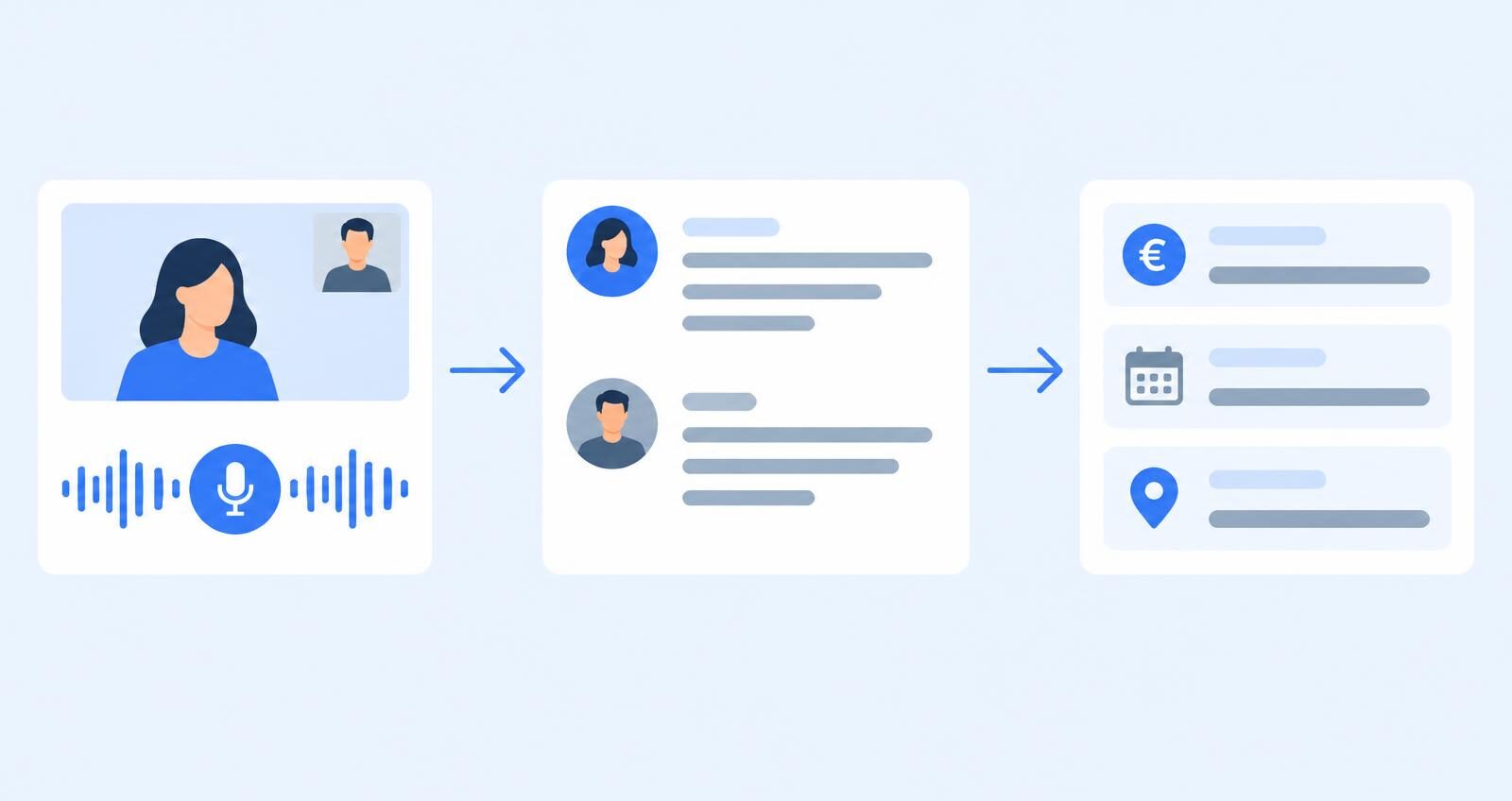
The path from conversation to record takes four steps, with no retyping:
- Recording. For video calls, the Nexus AI Notetaker joins the meeting via the "Start recording bot" button in the calendar. For in-person meetings and phone calls, you upload an audio file to the activity (call or meeting). Common formats such as MP3, WAV, M4A, FLAC or MP4 work up to 500 MB.
- Transcript. The conversation is transcribed with speaker detection and timestamps, so you can trace later exactly what was said.
- Summary. Nexus summarizes topics, action items and next steps and adds them to the activity. The addition is labeled "AI Recording Summary"; existing descriptions are not overwritten.
- Structured extraction. The Data Management Agent reviews the conversation and suggests updates to the candidate, contact or application record. Suggestions land in the agent inbox, where you accept or discard them.
Central management: recordings, transcripts and summaries do not sit just anywhere; they stay inside the Nexus platform. Deleting means deleting: the recording and all related data are removed permanently. If, for example, an application is deleted because its retention period has expired, the related recordings are deleted too.
Which fields are affected depends on your data model. Salary expectation, notice period or preferred location are typical examples. If you like, you can configure that high-confidence suggestions which only add data (such as a new email address) are applied automatically. Everything else remains a deliberate decision by the consultant.
The value goes beyond filing: recordings can be found under "Recordings" in the navigation, and the Nexus Assistant can use summaries and transcripts to answer questions such as: "What did we discuss with this client last week?"
Example: what the bullet-point note misses
A constructed example shows the difference. A consultant talks to a head of maintenance who is a potential fit for a client in mechanical engineering. His note after the call reads: "Salary approx. 95k, 3 months notice, open to move." The transcript yields more:
| Topic | Bullet-point note | From the transcript |
|---|---|---|
| Salary | approx. 95k | €92,000 base, around €100,000 with bonus. Would give up the bonus if the base exceeds €95,000 and the leadership scope is right. |
| Notice period | 3 months | 3 months to the end of a quarter; early release possible by agreement. |
| Motivation | open to move | His site is being relocated and he does not want to commute. Preferred radius: 45 minutes max. |
Both versions are "correct", but only the second can be searched later, read by the team and matched against a mandate. The salary flexibility then lives in the record, not only in one consultant's head.
The legal framework: consent first, then record
Recording only happens with the consent of all participants. In Germany, recording privately spoken words without authorization can even be a criminal offense, and every recording and transcript is also processing of personal data under the GDPR. Have the compliant use of a notetaker reviewed by your data protection officer or law firm. The question is not only where data is stored but also where the AI runs. If recordings are stored in Europe but sent to the US for transcription, they still leave Europe.
A process that works well in practice:
- Inform in advance. State in the meeting confirmation that the conversation is to be recorded, why, where the data is stored, how long it is kept and that consent can be withdrawn at any time.
- Ask explicitly at the start. Obtain consent at the beginning of the conversation and document it traceably, for example as a note on the record.
- Accept a no. If the candidate declines, nothing is recorded. You take notes by hand as before, and the candidate suffers no disadvantage.
- Limit the purpose. The recording serves to document the conversation and maintain the record, not other purposes.
- Define retention. Transcripts and recordings should not stay in the system longer than necessary. For applications, Nexus lets you set a workspace-wide retention period between 6 and 24 months.
- Review your providers. Sign a data processing agreement and review the subprocessors involved.
Responsibilities are clearly divided: Nexus provides the technical means to transcribe and analyze conversations. Obtaining participants' consent under data protection law remains the users' task, and the legal assessment lies with each customer's responsible parties.
An honest note: the review stays with the consultant
An AI notetaker is a documentation tool, not a substitute for judgment. Transcripts can misrecognize names, technical terms or dialects, and a summary weighs what was said, not what it means for the mandate. That is why Nexus delivers not only the summary but the full transcript, separated by speaker where possible. And that is why the Data Management Agent's suggestions are exactly that: suggestions. The AI suggests, the consultant decides, and that includes a quick look before a record changes.
Also consider what comes up in conversation. Talking about third parties, such as the client's managers, colleagues or competitors, creates data that also ends up in the recording and transcript.
How to get started
- Write a short consent text for the meeting confirmation and for the start of the conversation.
- For a video call, start the recording bot in the calendar. For in-person meetings, upload the audio file to the activity.
- After the conversation, review the summary and accept or discard the suggestions in the agent inbox.
- Only after a few weeks, decide whether additive high-confidence suggestions should be applied automatically.
Learn more on the AI Notetaker page. Technical details are in the Nexus documentation, and the Trust Center answers questions about security and subprocessors.
If you would like to see how this would look in your firm, get in touch. We are happy to show you in a short demo.
- AI Notetaker
- Recruiting
- Executive Search
- Transcription
- Data Protection
- CRM